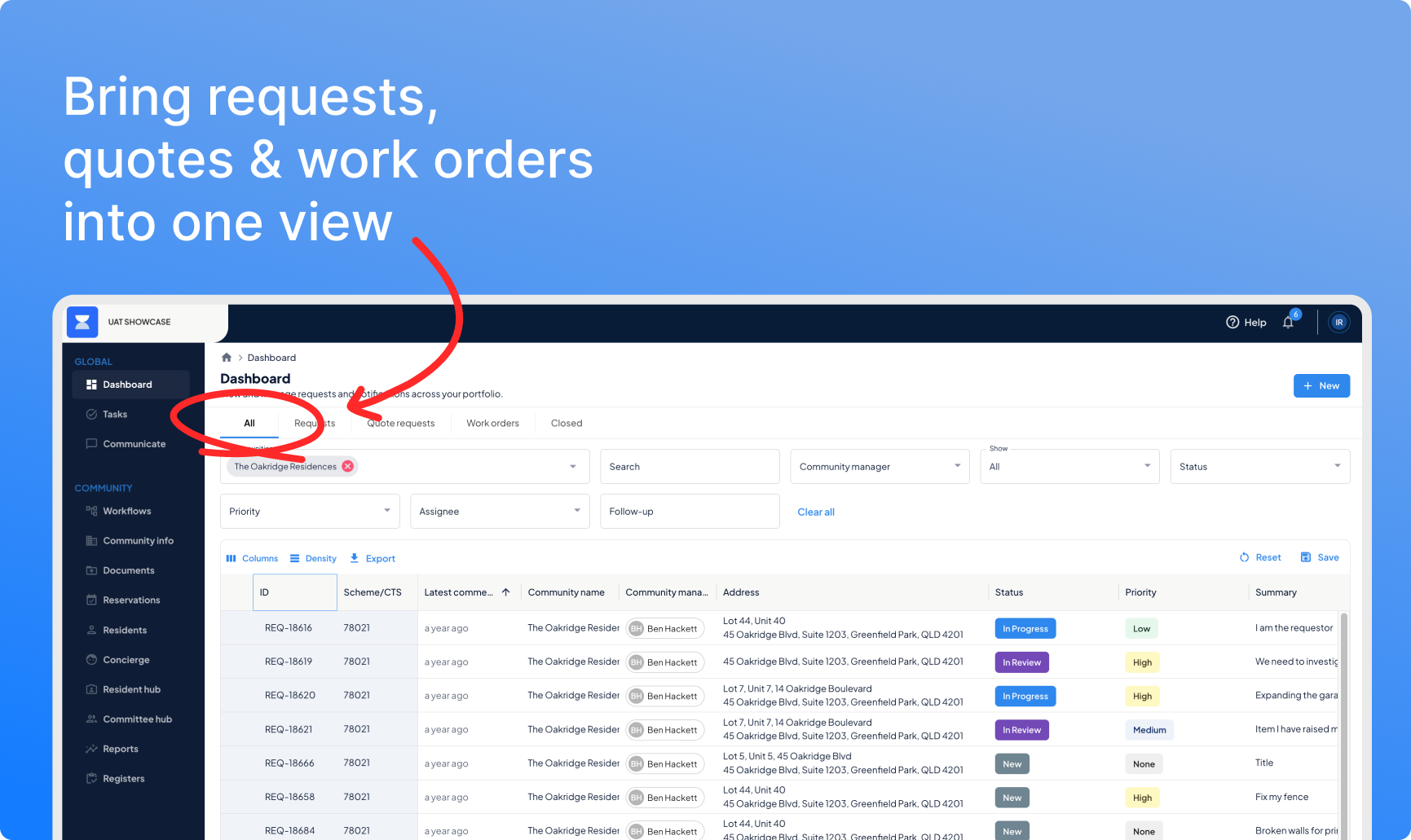

This month’s release is mostly about cutting noise and friction — a simpler way to get committee sign-off, a notification centre that shows you only what’s relevant, and a navigation that gets out of your way instead of eating your screen.
Release highlights
- Committee approvals for requests — quickly send across requests, or work orders for the committee to review and approve
- Multi-quote voting — bundle multiple quote requests into one committee topic, with votes organised however you like
- Filtered in-app notification bell — see only what’s actually assigned to you, on by default
- A roomier, modernised navigation — more space, less scrolling
- Auto-close for stale workflows — set it once, stop chasing forgotten close-outs
- Better resident deep links and password resets — deep links now work in the resident portal not just the app, and we’ve introduced a better journey for password resets to reduce calls for help
Committee approvals for requests
How do you get committee sign-off without a quote attached?
Admin
Resident
Feedback Driven
Not every decision needs a quote. Sometimes you just need a yes or no — a lot wants to repaint their door, say. Until now that meant falling back to email, or manually creating a topic.
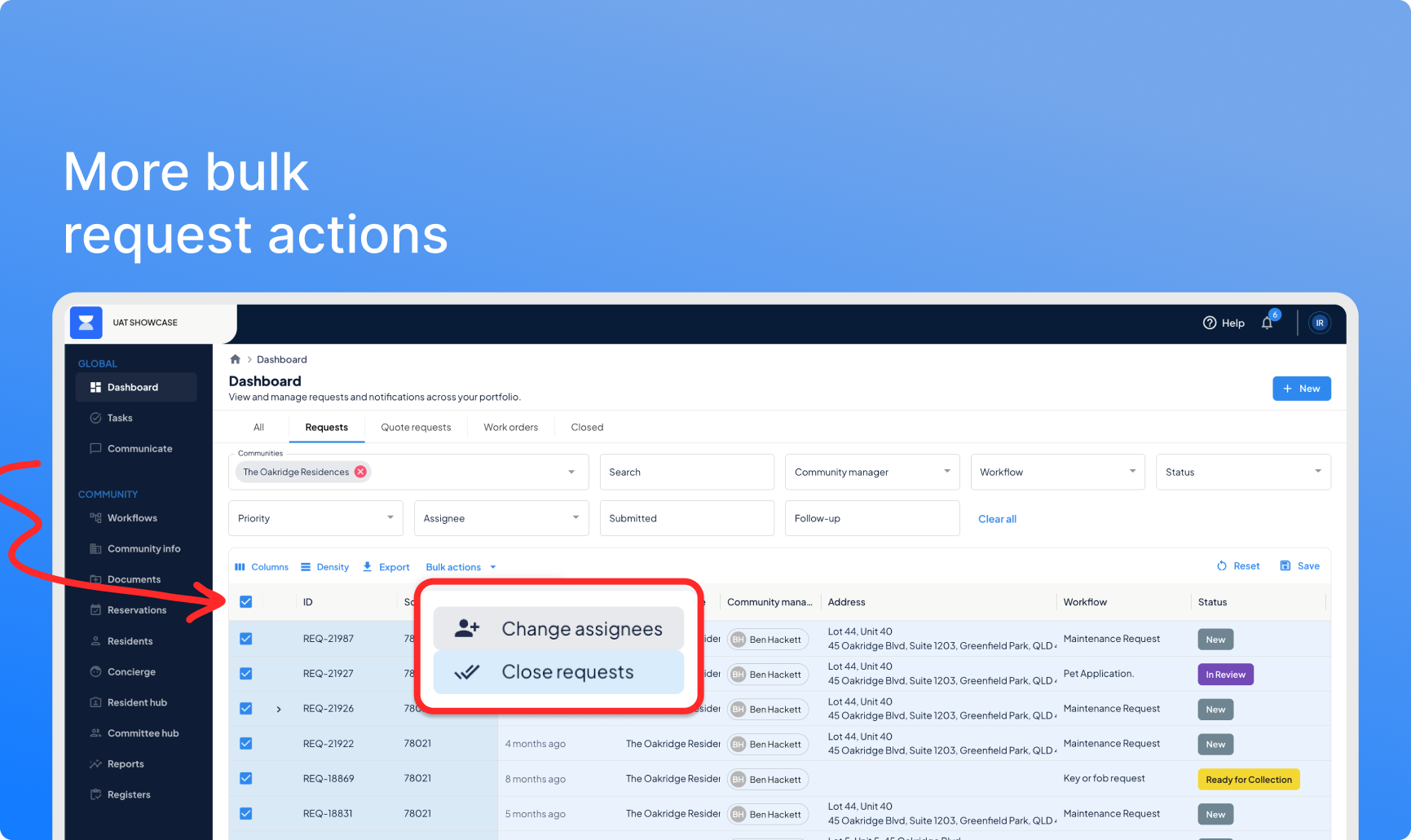
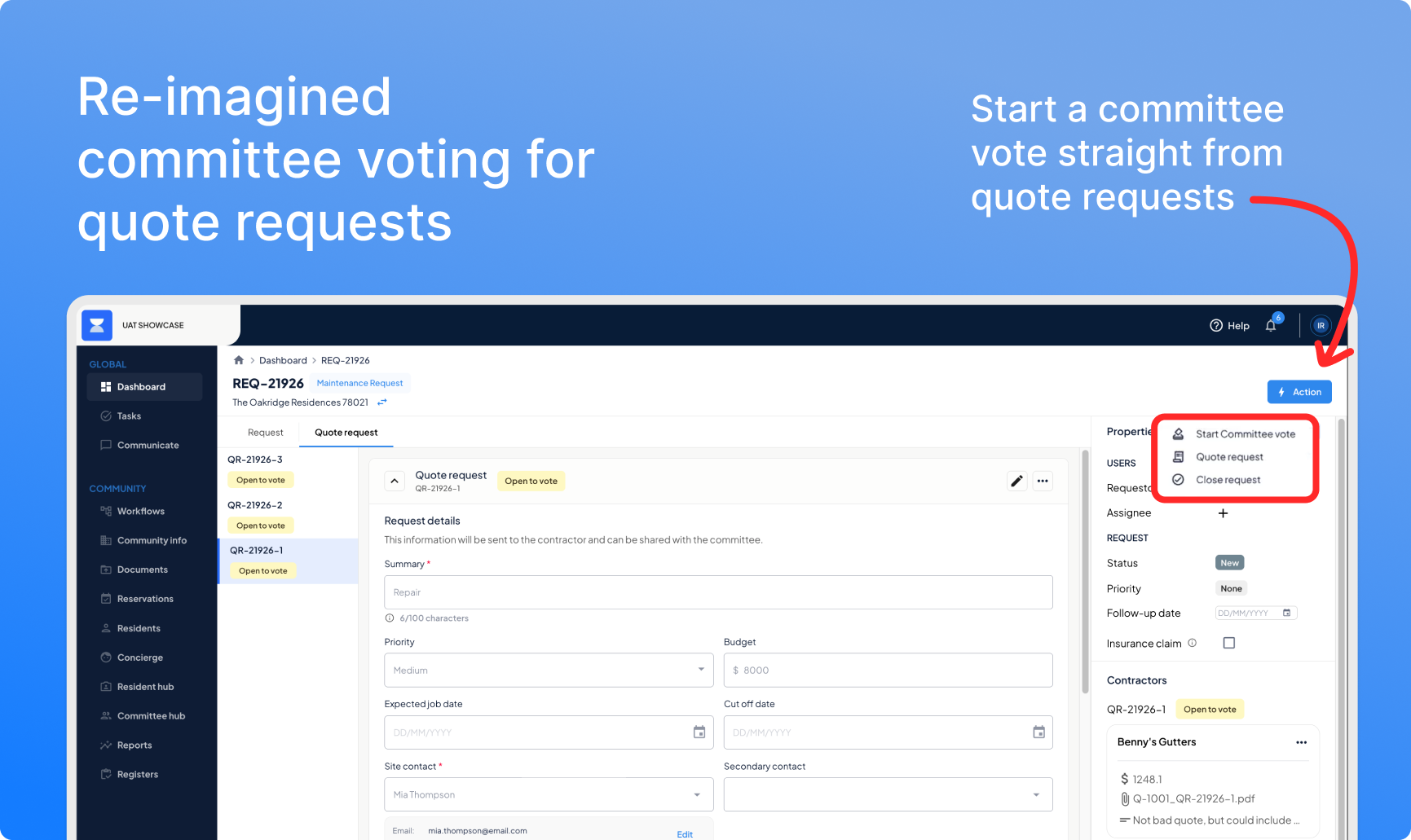
You can now start a committee vote directly from any request. Choose your committee, and set your options — approve, reject, abstain, or your own wording. Committees vote the same way they already do for quotes, with the same discussion thread and live results. Committees see these approvals in the committee hub, with appropriate tags now too.
 Multi-quote voting
How do you get sign-off on three quotes without sending three separate votes?
Admin
Feedback Driven
A single job often comes with more than one quote request — tree removal, then repair, then repaint, for example. Sending each to committee separately means three emails, three votes, three things to track.
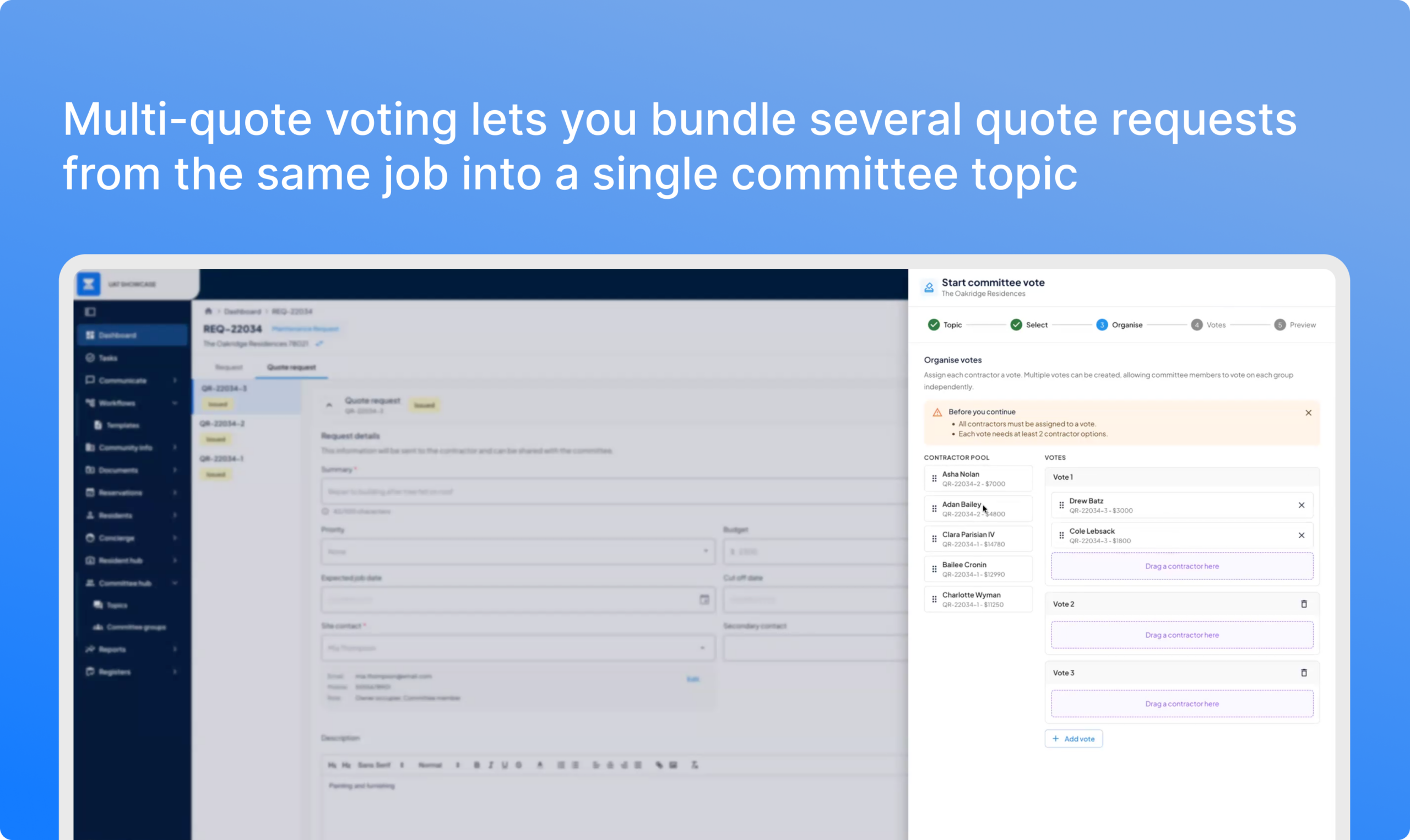
You can now bundle multiple quote requests into a single committee topic, with as many separate votes inside it as you need. Drag and drop contractors into whichever vote they belong to, preview the whole thing before publishing, and your committee sees one clear topic instead of three unrelated threads.
Filtered in-app notification bell
How do you stop the notification bell becoming background noise?
Improvement
Feedback Driven
Most teams assign every admin to every community, so someone’s covered when a colleague’s on leave. The side effect: everyone’s notification centre fills up with updates that have nothing to do with them.
Notifications are now filtered by default to only show what’s assigned to you, or where you’re the community manager. The same filter applies to the notification badges on your dashboard. A small change, but the kind that turns a notification centre people ignore into one people actually use.
A roomier, modernised navigation
How do you get your menu out of the way without losing it?
Improvement
The old sidebar took up a meaningful chunk of screen space — more of a problem when using a smaller screen like your laptop.
The navigation now expands down instead of out, so you can open multiple sections at once, collapse it entirely for more room, and still find what you need with tooltips on every icon. Settings have been regrouped too — account, workflow, and resident-facing settings each live in their own section instead of one long list. My account can now be found under your logged in profile image from the top-right.
Auto-close for stale workflows
How do you stop finished jobs sitting open because someone forgot to close them?
Improvement
Feedback Driven
Bulk closing (from last month) helped clear a backlog of jobs someone forgot to close. This goes a step further: set an auto-close period on any workflow template, and resvu closes it automatically once there’s been no activity for that long. No one needs to remember.
Better resident deep links and password resets
Expanding deep-links to the resident portal so everyone gets where they need to be quicker.
Improvement
Feedback Driven
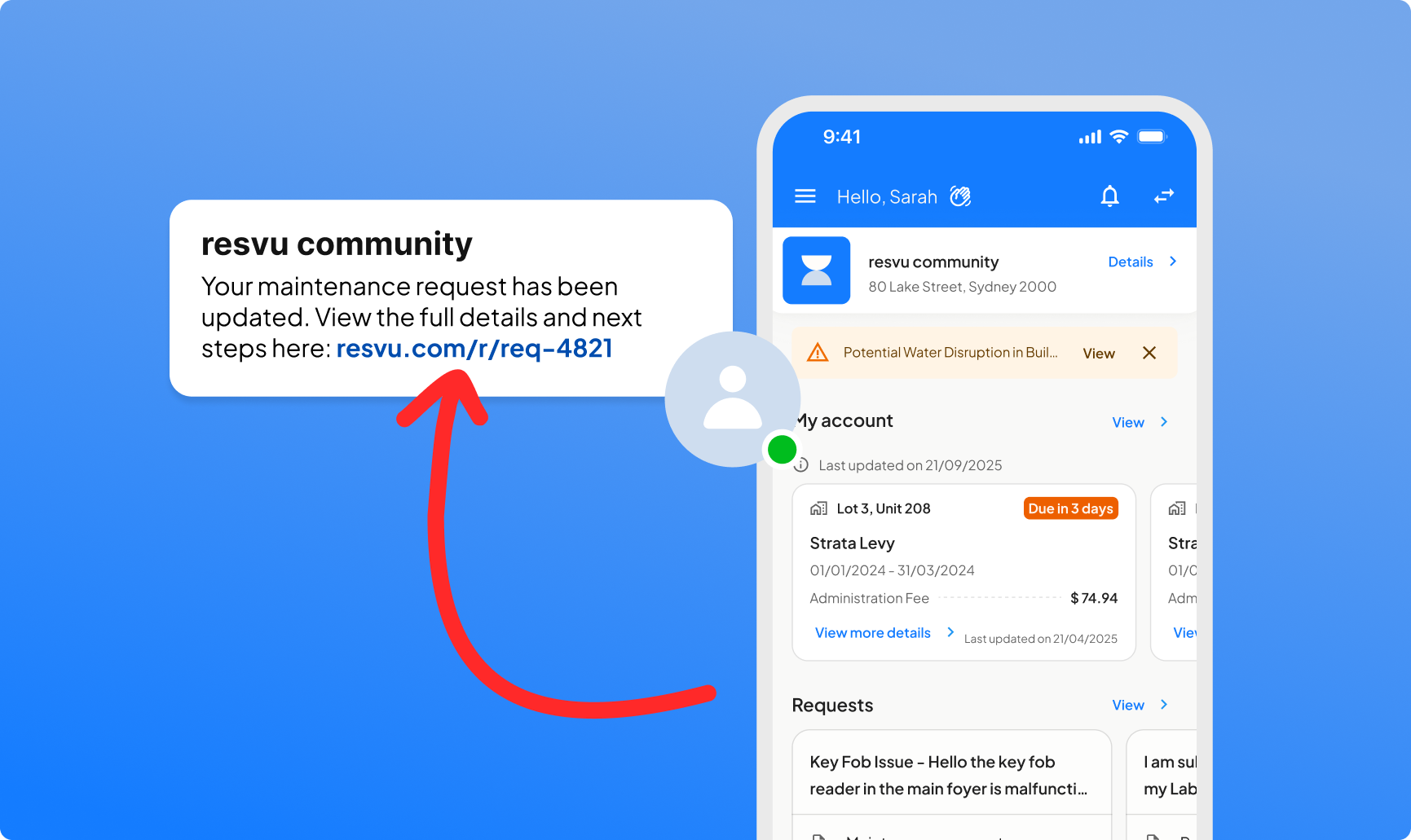
Email links to a topic or a password reset used to land residents somewhere unhelpful — the homepage, or an admin login screen they were never meant to see.
Deep links now route straight into the resident portal, and password resets go to a resident-specific reset page. Fewer wrong turns, fewer “I can’t log in” messages landing in your inbox.
The theme, in short
As Tom put it during the showcase, resvu’s broader goal is moving strata companies from an administrative layer to an asset performance layer — giving managers the room to be genuinely human-centric with committees and owners, instead of purely reactive. This month’s release is a step toward that: less noise, faster sign-off, and cleaner infrastructure underneath it all.
— The resvu team
Have feedback on what we build next? We’re always listening. Reach out to your account manager or drop us a note at [email protected]

 Re-imagined quote voting for committees